
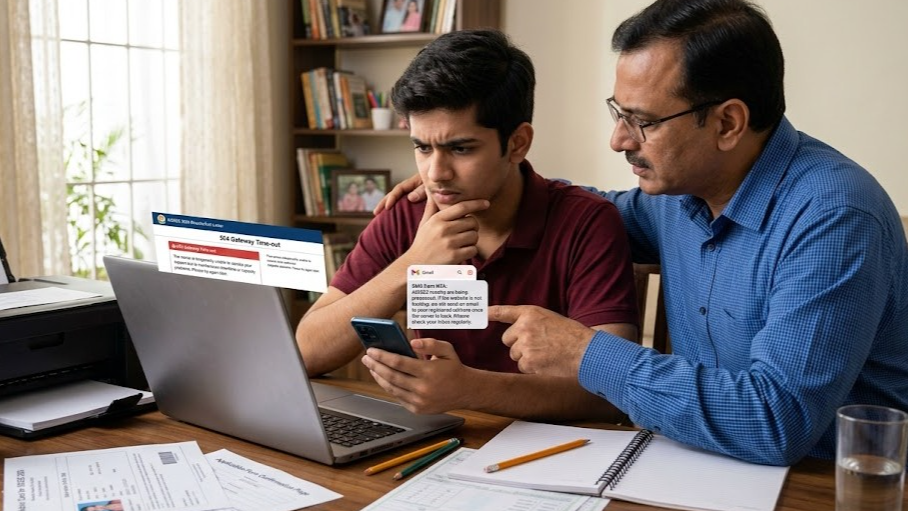
You need to check your Sainik School medical call letter. The date is close. You log into the AISSAC portal and the page doesn't open. Or it opens halfway and freezes. Or it throws a 503 error.
Your first instinct is to keep refreshing. That's understandable. It's also the least useful thing you can do.
Here's what to actually do - in order - when the portal won't cooperate.
First, Understand Why This Keeps Happening
The AISSAC portal is a government server handling lakhs of simultaneous logins. Portal crashes during AISSEE 2026 counselling were more common than most parents expected - parents reported login failures, OTP delays, and pages not loading especially around result days and deadline evenings. The NTA portal slows badly when lakhs of families try to log in at the same time.
This isn't your device. It isn't your internet. It's server congestion - and it happens predictably around medical round announcement days when everyone logs in at once.
Now here's what to do.
Method 1 - Try the Official Alternate Portal URL
The AISSAC portal has more than one URL. Most parents only know the primary one. When it goes down, many don't know there's a backup.
During AISSEE 2026, the Sainik Schools Society specifically announced the BISAG-N hosted version as an official alternate access point. Many parents who couldn't reach the first URL got through using that one.
Try these URLs one by one:
Primary Portal: pesa.ncog.gov.in/sainikschoolecounselling
Official Alternate (BISAG-N): sainikschoolssociety.bisag-n.gov.in/sainikschoolecounselling
Log in with the same credentials - your AISSEE application number and password. If one URL is overloaded, the other server may be working fine. This alone solves the problem for many families.
Method 2 - Check Your Registered Email First
Before spending more time on the portal, open the email account registered during your AISSEE NTA application. Not your current regular email - the specific email ID you entered when filling the NTA form months ago.
Medical examination details are often sent by email alongside the physical letter. Don't just check the inbox - check the promotions folder, updates folder, and spam. Government portal emails frequently land in spam because of how they're sent. Search your email for keywords: "Sainik School", "medical examination", "medical call", or the name of your allotted school.
An official email confirmation is accepted at most schools when presented alongside your other documents. If you find an email with the examination details - download it, save it, print it.
Many families in 2026 found their medical details sitting in the spam folder, untouched, for several days - while they were stressing about the portal not loading.
Method 3 - Log Into the AISSAC Portal at Off-Peak Hours
If the portal is down because of traffic, the solution is simple: don't compete with the crowd.
Try logging in between 11 PM and 5 AM. The server is significantly quieter at night. Many parents who struggled all day found the site working perfectly at midnight. Set an alarm. It sounds inconvenient, but a Sainik School seat is worth a broken night of sleep.
Each candidate has to log into their own e-counselling portal to know their medical status - there is no single published medical list. Log in using your credentials at pesa.ncog.gov.in and check for the 'Allocated School for Medical' field in your candidate dashboard.
Method 4 - Check the Official SSS Website for Notices
When the counselling portal is overloaded, official announcements still appear on the main Sainik Schools Society website.
Any extension of deadlines, maintenance notices, or new round results get posted on the official SSS site first. During the AISSEE 2026 registration extension, the announcement about the window reopening from March 30 to April 1 appeared on the SSS site before most parents even knew.
Bookmark sainikschoolsociety.in and check it before panicking. If there's a maintenance window or extension, it will appear there first. Don't wait for WhatsApp forwards to confirm what's on the official website.
Method 5 - Visit Your Allotted School's Official Website
Every Sainik School maintains its own official website. Several schools during AISSEE 2026 uploaded medical guidelines, candidate lists, and reporting schedules directly on their school websites alongside the AISSAC portal.
For example, Sainik School Chittorgarh published guidelines for their medical examination directly - including the venue (Shri Sanwaliya Ji Government Hospital, Chittorgarh), reporting time (0800 hours), and list of required documents - on their school website separately from the AISSAC portal.
Search: "Sainik School [your allotted school name] medical examination 2026" and go directly to the school's official .edu.in domain. Don't rely on third-party websites - go to the school's own page.
Method 6 - Contact the School Directly by Email
Official school email IDs are available on sainikschool.ncog.gov.in. Write a short, clear email with your child's name, AISSEE application number, roll number, and allotted school, and ask for your medical examination date, time, and venue. Response time varies but most schools respond within 1-2 working days.
Keep the email formal and to the point. Attach your AISSAC allotment letter as reference so the school office can locate your record quickly.
Method 7 - Visit the School in Person If the Date Is Very Close
This feels extreme. But if your medical date is within 48 hours and no other method has worked, it is the right call.
School administrative staff can immediately confirm your child's medical slot, give you all details, and in many cases print a duplicate call letter on the spot. Schools understand that letters get delayed and won't penalise a family for a postal issue when the child's allotment is confirmed in their records.
Carry your AISSAC allotment letter, your child's Aadhaar card, the AISSEE scorecard, and your own ID. Walk in and explain the situation calmly. The school administration has seen this before.
What If You Can't Get the Call Letter But Must Appear?
If you're going for the medical examination without the physical call letter, carry these as alternative proof: the AISSAC allotment letter downloaded from the portal and printed, and an email confirmation of medical examination details if received.
Most schools accept these when the candidate's allotment is confirmed in the system. However, call the school in advance and confirm they will accept these alternatives before you travel.
What Not to Do
Don't call random numbers found on Google claiming to be NTA or SSS helplines - fraudsters operate fake helplines during counselling season.
Don't pay anyone to check your status. The entire process is free. Anyone asking for money is a fraud.
Don't spend hours refreshing the same broken portal URL. Use the alternate URL, try off-peak hours, and move to the other methods outlined above.
And don't assume that if the portal is down, your medical slot has disappeared. Historically, when the portal has gone down near a deadline, the Sainik Schools Society has extended the window - but you cannot count on this. Email the same day you face the problem. Don't wait and hope.
The portal going down is frustrating. But it's a solvable problem - if you know the right steps and take action fast instead of just waiting for the website to fix itself.
For school-specific medical dates, AISSAC 2026 updates, and complete Sainik School admission ↗ guidance, visit SainikGuru.com.